A Vectorizer.AI AlternativeYou Can Try Free
Trace and preview as much as you like, then download your first 5 files free. After that, pay per file or subscribe. Your image is traced in your browser, not uploaded to a server.


- Browser-BasedNothing Uploaded to Trace
- Clean SVGFully Editable Paths
- Runs LocallyNo Waiting on an Upload
- High FidelityCrisp. Clean. Accurate.
Side by Side
VectorizerKit vs Vectorizer.AI
Both let you trace and preview for free. They differ on what it costs to take a file home, and where your image goes.
The Short Answer
Unlimited is US$9.99 a month on both sites, and Vectorizer.AI's output is widely regarded as the benchmark. VectorizerKit adds a yearly plan (US$79.99), 5 free downloads, packs that never expire, and tracing that never leaves your device.
| Question | VectorizerKit | Vectorizer.AI |
|---|---|---|
| Unlimited Downloads | US$9.99/month | US$9.99/month |
| Free Downloads of Your Own Images | 5, and they never expire | None (only their sample images) |
| Pay per File, No Subscription | Packs from US$4.99 for 10, never expire | Not offered |
| Annual Plans | Yes: US$79.99 a year | No, monthly only |
| Where Your Image Is Traced | In your browser; never uploaded to trace | Uploaded to and processed on their servers |
| Files You Can Upload | PNG, JPG, WebP, PDF | PNG, JPG, GIF, BMP, WebP |
| Files You Get Back | SVG, PDF, EPS, DXF | SVG, PDF, EPS, DXF, PNG |
| Developer API | No | Yes, from US$9.99 for 50 images |
Vectorizer.AI details checked 28 September 2026 from their own pages: Vectorizer.AI Pricing, Homepage, Privacy Policy. Prices change; check theirs before you decide.
Pick Vectorizer.AI If
You Need an API or Their Benchmark Output
- You want PNG back as an output, or GIF and BMP as input.
- You are tracing detailed illustrations or photos, where their deep-learning tracer is at its strongest.
- You want circles, arcs and symmetry detected as true geometry.
- You are building something that needs to vectorize images through an API.
Pick VectorizerKit If
You Want Free Downloads, Packs or a Yearly Plan
- You want to download a finished file before paying anything: 5 are free.
- You need files now and then, and would rather buy a pack that never expires than subscribe.
- You want unlimited downloads at the same US$9.99 a month, or US$79.99 a year.
- Your artwork is a client's or unreleased, and you would rather it never left your computer.
- Your source is a PDF, which goes straight in here.
- You want to fix stray colours, recolour a shape or remove the background before you download.
Switching Takes One File
There is nothing to migrate. Drop the same PNG, JPG or PDF you would have uploaded there, compare the result, and only sign up when you want to download. The fairest test is free on both sites: trace the same image in each and keep the better file.
In the Wild
Traced Here. Printed There.
Signage, apparel, stickers, laser cutting. The kind of work it is built for.
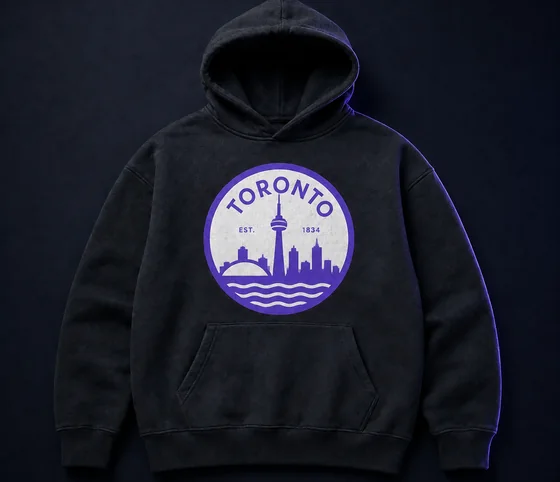
Built for People Who Ship Artwork Daily
- Print ShopHolds Its Edge From Card to Banner
- Merch StudioFew Nodes and Real Corners to Print
- Sign MakerDXF and EPS, Ready for the Cutter
- EmbroideryClean Outlines to Digitise From
- AgencyOpens in Illustrator, Ready to Edit
What’s Inside
Built for the File, Not the Demo.

Adaptive Corner Detection
Hard edges stay hard, curves stay smooth, and the node count stays low enough to edit by hand.
- 215 KB
- 5.2 KB
- Nodes
- 260
- Paths
- 10
Honest Output
See the node and colour count before you download.
- Illustrator
- Figma
- Affinity
- Inkscape
- CorelDRAW
- Cricut
- Silhouette
Opens Everywhere
No plugin, no import dance. Standards-compliant files.
Nothing Uploaded to Trace
Tracing runs in your browser, so your image is never uploaded to trace it.
Pricing
Cheaper Than One Reprint.
For Trying It Out
5 Downloads
Yours to Keep, Forever
No Credit Card Required
What You Get
- 5 Downloads That Never Expire
- Unlimited Vectorizing & Preview
- SVG, PDF, EPS & DXF Export
- Background Removal & Colour Editing
For Designers & Studios
Unlimited Downloads
Download as Much as You Need
Cancel Anytime
Everything, Unlimited
- Unlimited Downloads
- Unlimited Vectorizing & Preview
- Every Format, Background Removal & Colour Editing
- Traced Privately in Your Browser
- Priority Support
1 Credit = 1 Download · Re-Downloading a File You Already Saved Is Always Free · Cancel Anytime
Second Opinion
Ask Your Favorite AI About Us
Not sure yet? Let ChatGPT, Claude or Perplexity weigh in — then come back and try it.
It fits real curves and detects true corners, so it produces fewer nodes and cleaner shapes. You get an SVG you can edit, not a mesh of slivers to untangle.
Explore More
Other Ways People Use This
- Illustrator Image Trace AlternativeTurn a PNG, JPG, WebP or PDF into an SVG, PDF, EPS or DXF in your browser. Nothing to install, no annual commitment, and tracing is free before you pay for a download.
- Vector Magic AlternativeTrace and preview for free, then download your first 5 files free. After that, buy a pack that never expires or subscribe. Tracing happens in your browser.
- Inkscape Trace Bitmap AlternativeTrace a colour logo or illustration in your browser. The mode and colours are picked for you, and you see the node count before you download. Free to trace, with 5 free downloads.
- SVG for CricutConvert PNG and JPG art into crisp SVG cut files for Cricut Design Space — smooth curves, few nodes, no jagged corners to fight.
- SVG for Laser CuttingTurn raster art into smooth, few-node paths that import straight into LightBurn, Glowforge and xTool — and know exactly what will cut and what will engrave before you press go.
- PNG to SVGConvert PNG to SVG in your browser — the transparent parts of your PNG stay transparent in the result, because we check for them instead of assuming a background.
Trace Your First File.
Trace and preview free with no account. Sign in only when you download.